
Go to Settings → Booking Management. These rules are applied to every booking your agent takes, so they are the safest way to control what customers can and cannot do without writing it into your instructions.
Depending on your type of business this section may be called Appointment Management, Enrollment Management, Demo management or Ticket Management instead of Booking Management. It is the same page.
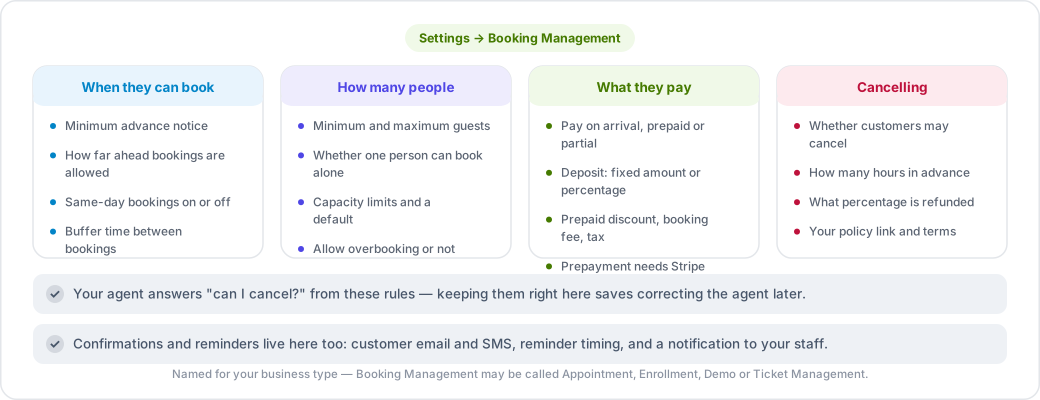
When customers can book
- Minimum advance notice — how many hours ahead a customer must book.
- Booking window — how far into the future bookings are allowed.
- Same-day bookings — allowed or not.
- Buffer time — minutes left free between bookings.
How many people
- Minimum and maximum guests per booking, and whether a single person can book.
- Capacity limits and a default capacity, with an option to allow overbooking.
Payment options
- Pay on arrival — allow customers to pay in person.
- Prepaid — allow paying at the time of booking. Requires Stripe.
- Partial payment — allow paying part now, the rest later.
- Deposit — require one, as a fixed amount or a percentage.
- Prepaid discount — reward customers who pay up front.
- Booking fee and tax rate, with the option to show prices tax-inclusive.
Cancellations and refunds
- Whether customers may cancel at all.
- How many hours in advance they must cancel.
- What percentage is refunded.
- A link and notes for your cancellation policy, and whether customers must accept your terms.
Your agent uses these rules when a customer asks "can I cancel?" — so keeping them accurate here saves you from correcting the agent later.
Confirmations and reminders
- Email and SMS confirmations to the customer.
- Reminder emails, and how many hours before the appointment they go out.
- A notification to your staff when a booking comes in.