
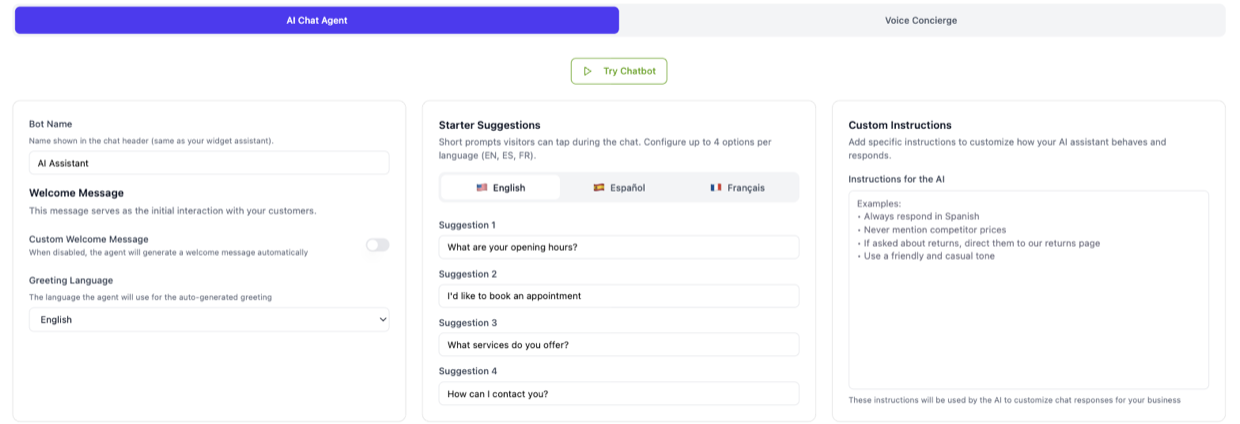
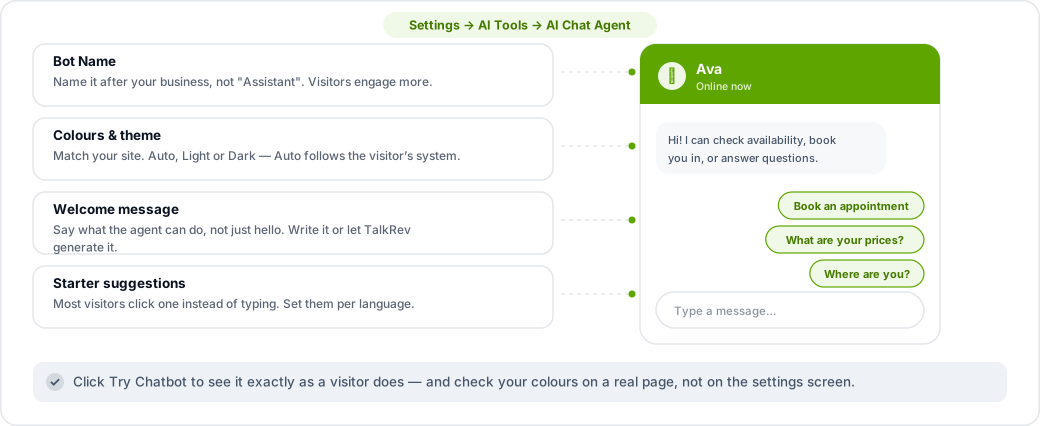
All of this is under Settings → AI Tools → AI Chat Agent.
Colours and theme
Set the widget's colours to match your website, and choose a theme: Auto, Light or Dark. Auto follows the visitor's own system preference, which is usually the right choice.
Check your colour against a real page rather than against the settings screen. A green that looks right on white can disappear on a dark footer.
Name and avatar
Bot Name is what appears in the widget header. Give it a name that sounds like your business rather than a generic "Assistant" — visitors engage more with something that sounds like it belongs to you. You can also set the avatar image.
Welcome message
Either write your own or let TalkRev generate one, in which case you just pick a Greeting Language. A good welcome message says what the agent can do, not just hello: "Hi! I can check availability, book you in, or answer questions about our services."
Starter suggestions
These are the clickable prompts a visitor sees before typing anything, and they do more work than people expect — most visitors click one rather than typing. Set them per language (English, Spanish, French).
Make them the three things you actually want people to do: "Book an appointment", "What are your prices?", "Where are you?"
See it before visitors do
Click Try Chatbot to open your agent exactly as a visitor sees it, with your current settings.