
What you need
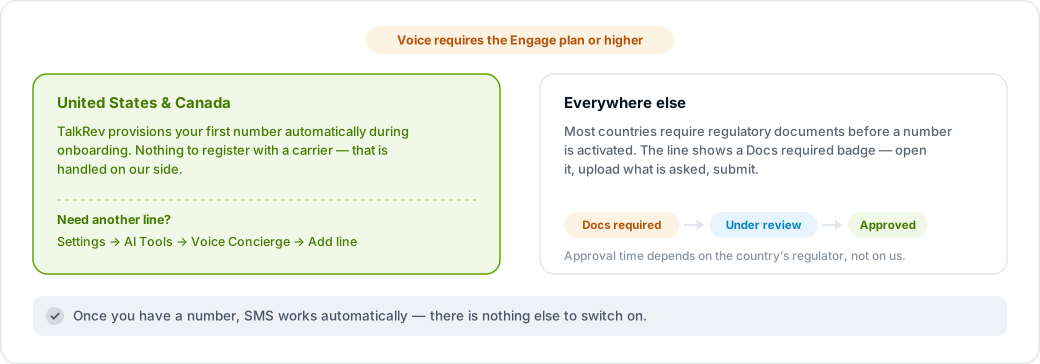
Voice requires the Engage plan or higher. Below that, the voice tab and phone provisioning are not part of your plan.
United States and Canada
If you signed up on Engage or above with a US or Canadian business, TalkRev provisions your first number automatically during onboarding. You do not need to do anything, and you do not need to register anything with a carrier — that is handled for you on our side.
To add another line, go to Settings → AI Tools → Voice Concierge and click Add line. You can also do this from the AI Voice page.

Outside the US and Canada
Numbers in most other countries require regulatory documents before they can be activated — usually proof of address and proof of identity for the business. TalkRev cannot provision these automatically.
When a number needs paperwork, the line shows a Docs required badge. Click it to open the requirements form, upload what is asked for, and submit. The badge then moves through Under review to Approved or Rejected.
Approval time depends on the country's regulator, not on TalkRev. Some countries take a day; some take weeks.
Where to see your lines
Settings → AI Tools → Voice Concierge lists every line with its status. A line you switch off shows OFF and stops receiving calls and texts.
Text messaging
Once you have a number, SMS works automatically — there is nothing to enable. See Does TalkRev support SMS?