
Get your code
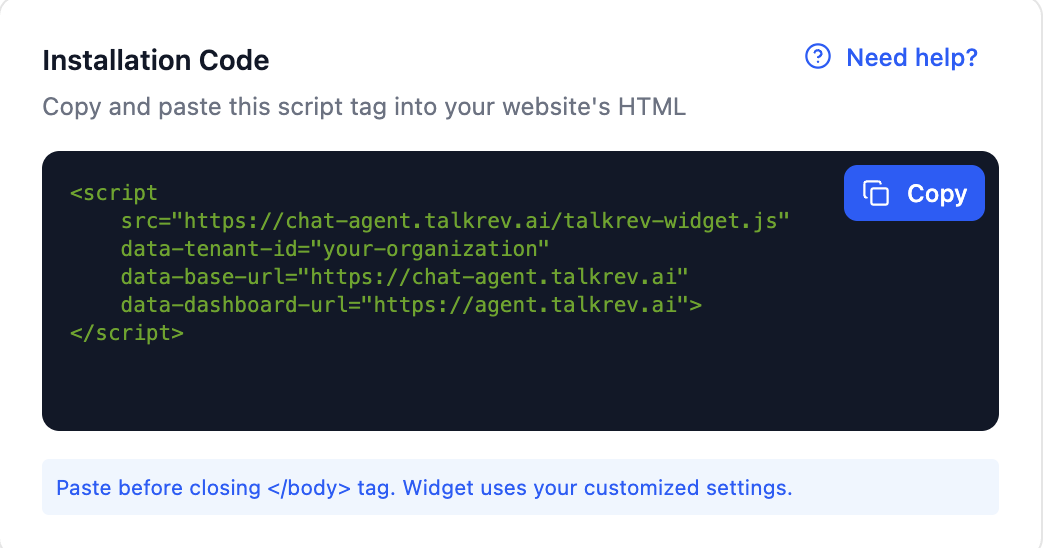
In TalkRev, go to Settings → AI Tools → AI Chat Agent, find Installation Code and click Copy. The snippet is generated for your organization — copy it, don't retype it.
Paste it into your theme
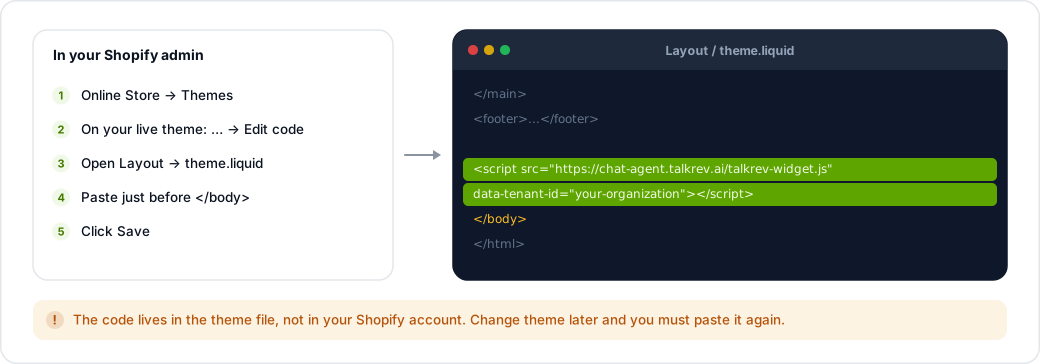
- In your Shopify admin, go to Online Store → Themes.
- On your live theme, click … → Edit code.
- Open Layout → theme.liquid.
- Find the closing
</body>tag near the bottom of the file. - Paste the snippet immediately before
</body>. - Click Save.
Check it worked
Open your storefront in a new tab and reload. The chat bubble appears in the corner.
If you change themes later, repeat these steps. The code lives in the theme file, not in your Shopify account, so a new theme will not have it.
Selling on Shopify?
Installing the widget is separate from connecting your store. If you also connect Shopify under Settings → Integrations, your Orders and Products sections appear in the sidebar and your agent can answer questions about your catalogue. See Connect your Shopify store.