
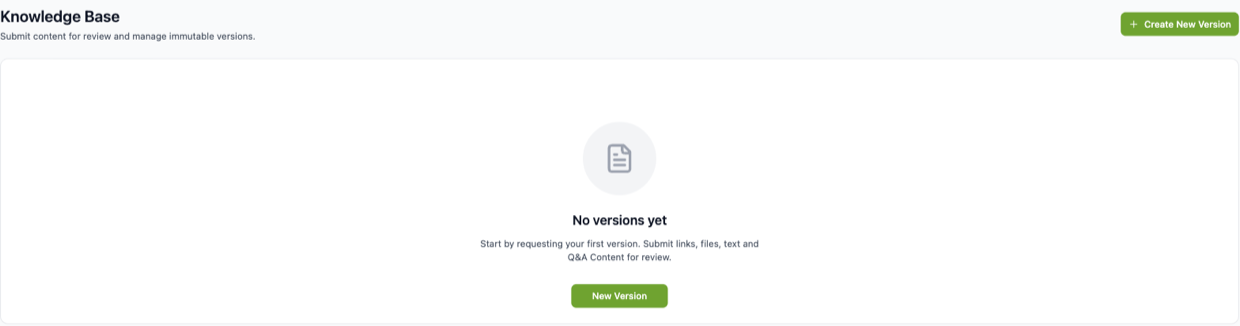
Your knowledge base is what your AI agent knows about your business. Open Knowledge Base in the sidebar.
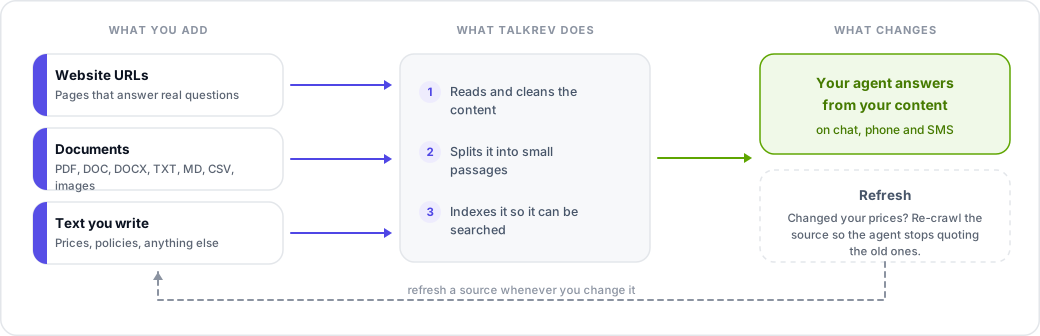
What you can add
One version can combine any of these, and needs at least one:
- Documents — PDF, DOC, DOCX, TXT, MD, CSV and images (PNG, JPEG, WEBP). Up to 50 MB per file.
- URLs — pages from your website.
- Text sections — free text you write directly, with a section name.
- Q&A — question and answer pairs, optionally grouped by category.
A URL is followed for a limited number of pages, so on a large site don't rely on a single link to your homepage. Add the pages that actually answer customer questions — services, pricing, FAQ — as separate URLs.
If the file picker won't offer a spreadsheet, export it as CSV and upload that instead. CSV is read reliably and keeps your columns.
Publishing a version
Adding sources creates a version. When you publish it, TalkRev reads and indexes everything and makes it available to your agents. A version moves through these states:
- Processing — being read and indexed. Only one version can be processing at a time.
- Live — finished, and powering your agents right now.
- Failed — processing did not complete. Check your sources and publish again.
- Archived — a previous live version, replaced by a newer one.
Processing time depends on how much you added. A few text sections take minutes; a large website crawl takes considerably longer.
Publishing a new version replaces what the agent knew before. The previous live version is archived, not deleted, and you cannot delete the version that is currently live.
Restoring an older version
Open an archived version and restore it. It is re-processed and becomes live again. This is the fastest way back if a new version made your agent worse.
Keeping it up to date
If your website changes often, set up Auto-refresh so TalkRev re-reads your URLs on a schedule. You can also click Refresh now at any time.
Refresh only re-reads URLs, text sections and Q&A. Uploaded files are not re-read. If a document changes, upload the new file and publish a new version.
What makes a good knowledge base
- Your services and what each one includes.
- Prices, or a clear explanation of how you price.
- Policies customers ask about: cancellations, deposits, refunds, guarantees.
- The ten questions you answer over and over — as Q&A pairs, which are the most reliable format.
Quality beats volume. A tidy 20-page knowledge base produces better answers than a 500-page site crawl full of navigation and legal boilerplate.